
For years the architecture visualization industry has been stuck with a strange limit. Studios can produce a still render so convincing you cannot tell it from a photograph, but the moment a client wants to move through that space, the cost jumps by an order of magnitude. Animation means cameras, keyframes, render farms, and days of compute per shot. So most projects ship as a handful of gorgeous frozen images, and the sense of actually being there never makes it to the viewer.
Two things changed that recently. Image-to-video models can now invent believable motion from a couple of stills. And coding assistants like Claude can turn that footage into a polished, interactive site in an afternoon. I wanted to see how far that combination goes, so I built a small experiment. This is how it went.
See it live: d1v38cpm8emdm5.cloudfront.net. Open it, press begin, and scroll.
The raw material
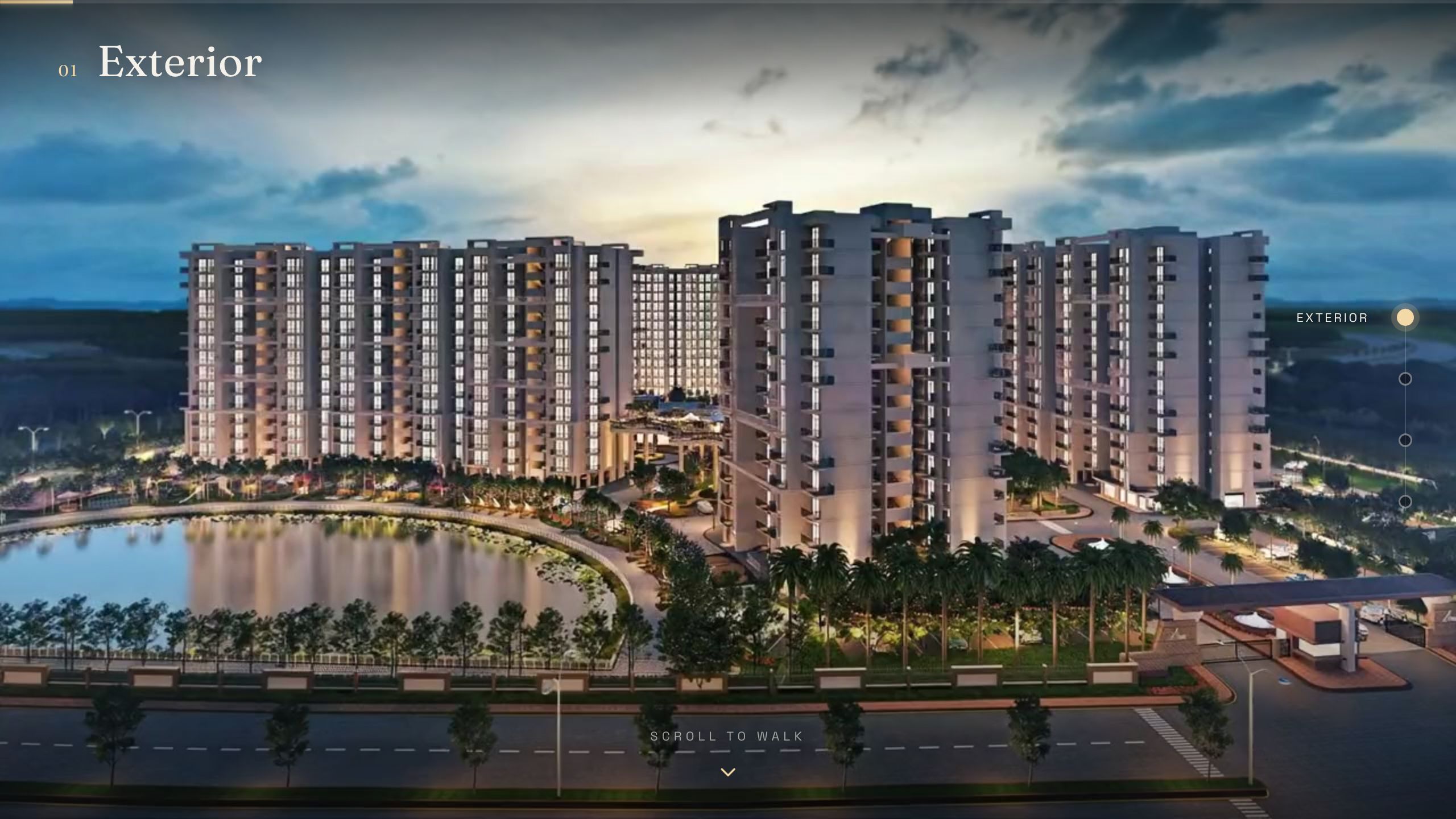
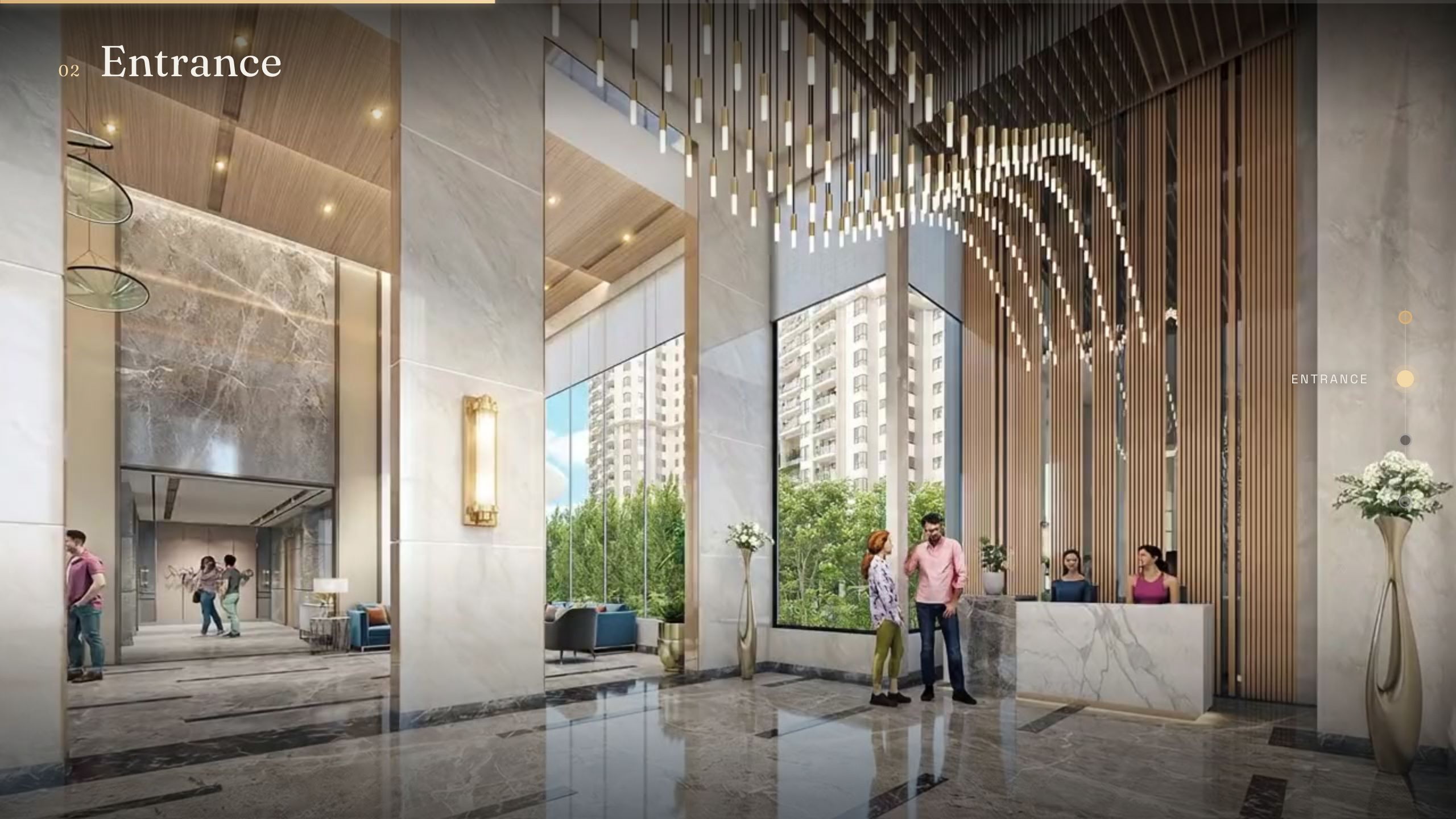
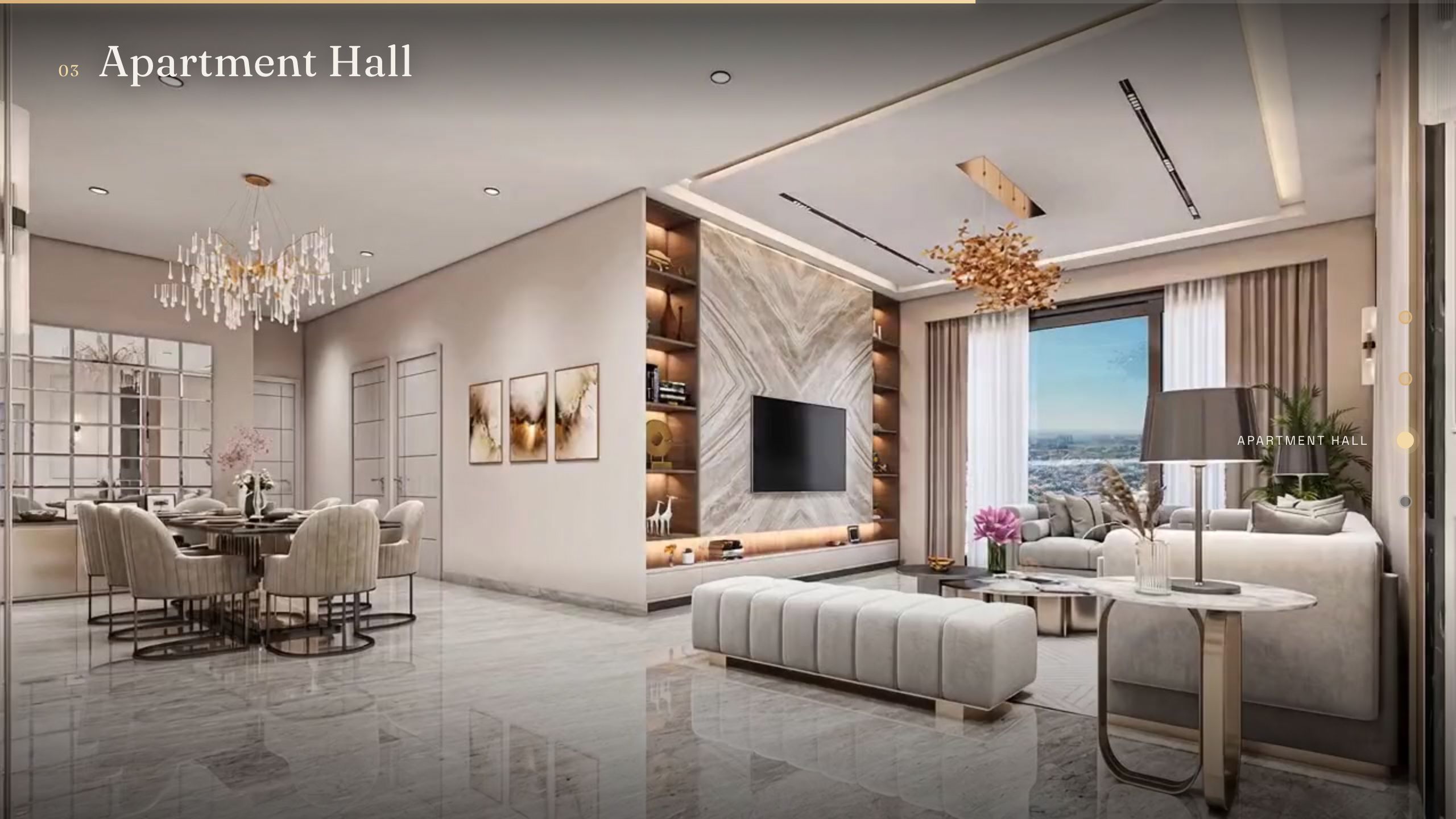
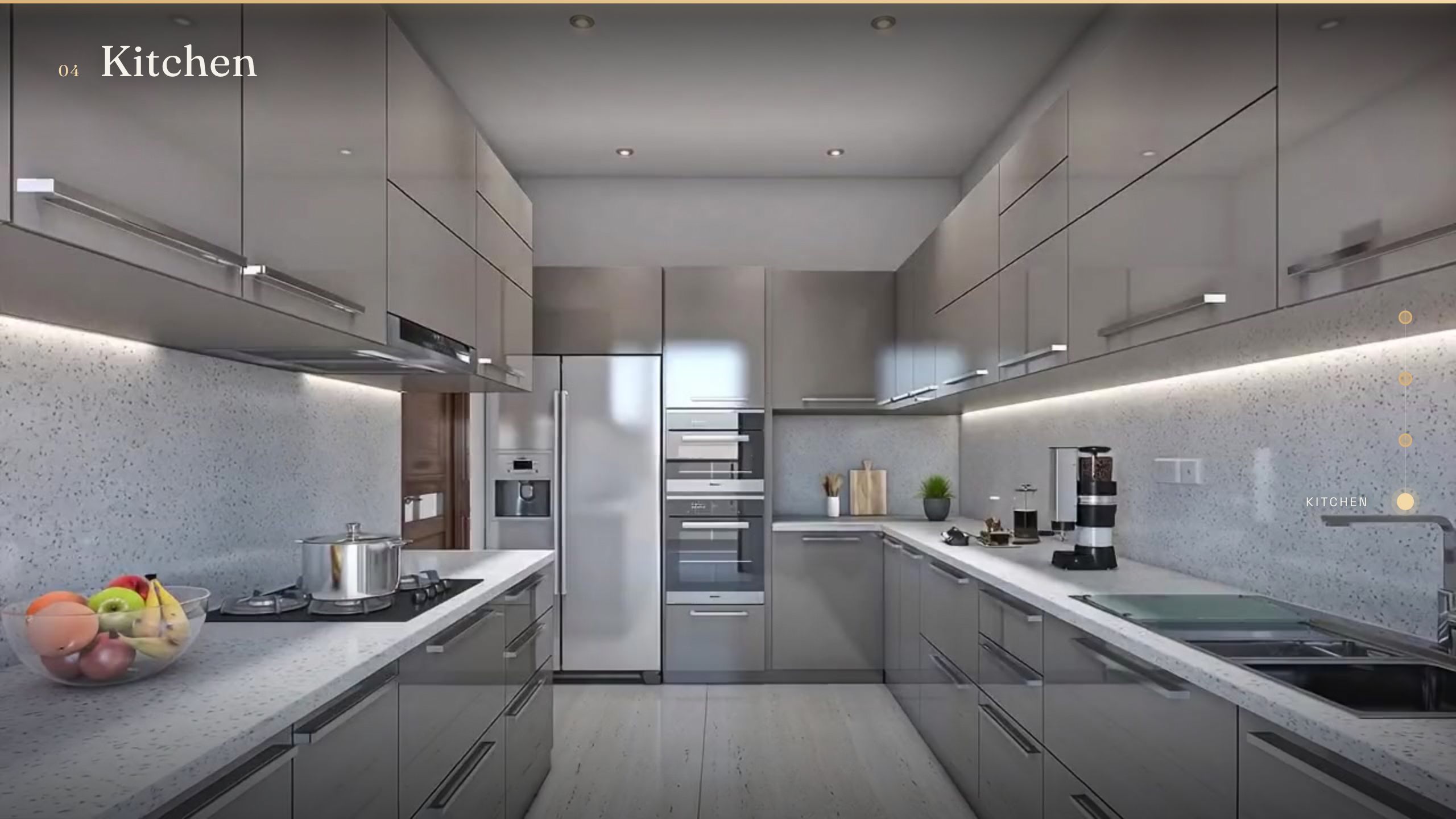
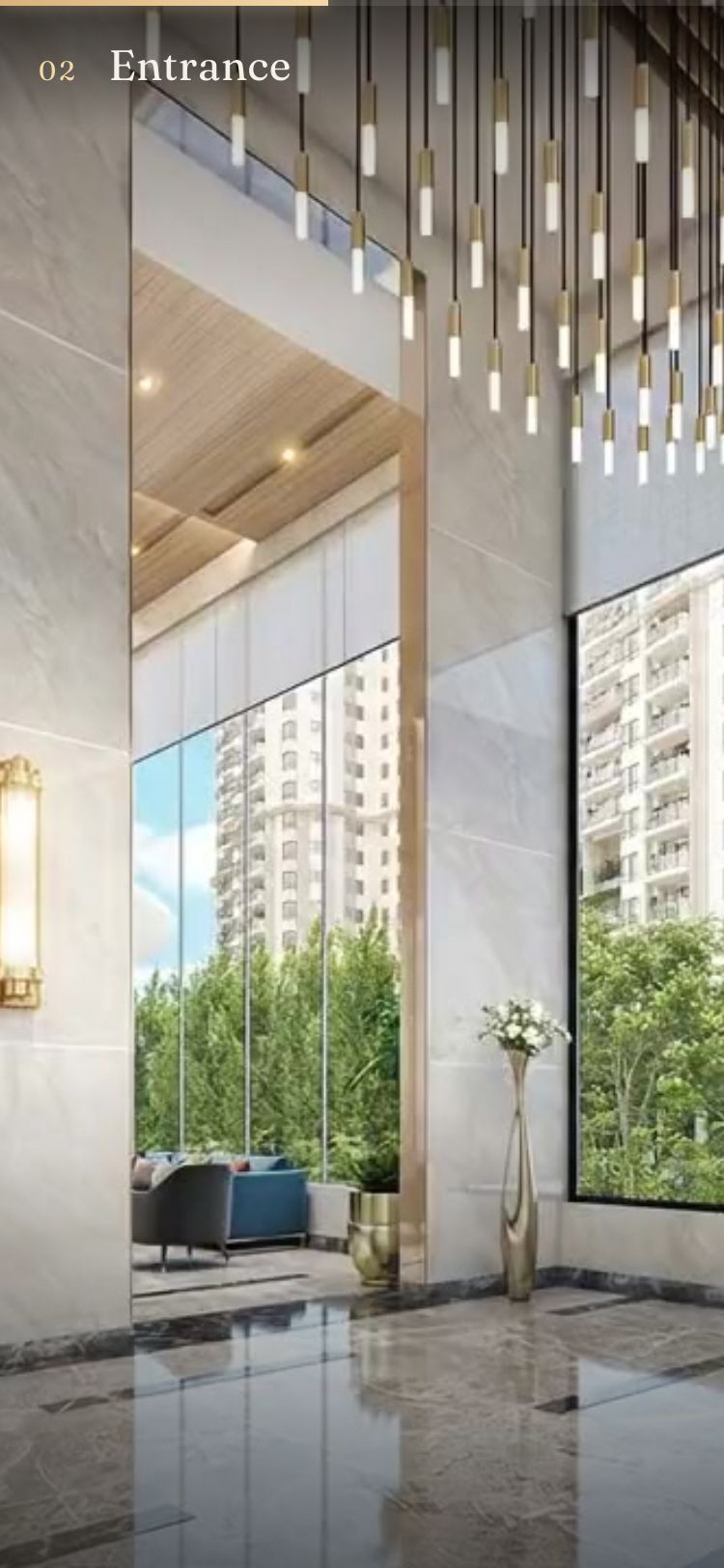
A friend runs a studio that does 3D architectural visualization, the kind of work where you model a building that may not be built yet and light it until it looks real. He had four finished renders of an apartment: the towers from outside at dusk, the lobby, the living and dining area, and the kitchen. Beautiful images, all completely static.
That is the typical handoff in this field. The architect already pictured the space as something you walk through, but the client only ever receives the one angle that looked best in the deck. Everything between those frames lives in the architect’s head.
Inventing the motion
This is where image-to-video models come in, and they are genuinely good now.
I used the Seedance 2.0 image-to-video model on fal.ai. The feature that made this whole project possible is that you can give it two images, a start frame and an end frame, and it generates the camera move that connects them. So instead of describing a shot in words and hoping, you hand it exactly where the camera begins and exactly where it lands, and it fills in everything in between.
I ran it three times:
- Exterior render as the start, lobby render as the end.
- Lobby as the start, living area as the end.
- Living area as the start, kitchen as the end.
A few seconds of footage each. The model handled the hard part, which is plausible parallax and perspective as the camera glides forward through a doorway or across a room.
The key insight is the chaining. Because each clip ends on one render and the next clip begins on that same render, the three clips line up into one unbroken path. The end frame of one is the start frame of the next. Stitched together, three separate generations become a single continuous walk from the street to the kitchen.
What it actually costs
This is the part that surprises people, because the number is small.
Generating video runs roughly $1.5 for a 5-second clip at 1080p. The cost scales with the number of transitions you need, not with the size of the building, since each transition is one clip between two renders. For this apartment I had three transitions, so the entire walk cost in the neighborhood of $4.5 in generation.
The math is refreshingly linear:
| Spaces in the walk | Transitions | Approx. generation cost |
|---|---|---|
| 4 rooms | 3 | ~$4.5 |
| 6 rooms | 5 | ~$7.5 |
| 10 rooms | 9 | ~$13.5 |
Everything downstream is effectively free. The starting renders already exist as part of the studio’s normal work. The website is static files, so hosting is pennies a month or nothing at all on a free tier. And the code was written in a single session with an AI assistant rather than billed as developer time.
Compare that to a traditional rendered walkthrough animation, which is typically quoted in the thousands and measured in days of render time. The gap is not incremental, it is a different category of spending.
Turning footage into an experience with Claude
Having the video was half the problem. The other half was building something worth showing it in, and I did not want a plain embedded player with a play button. I wanted it to feel like you are the one moving.
I described the idea to Claude and it wrote the entire front end. No framework, no build tooling, just HTML, CSS, and JavaScript that runs anywhere. The interaction it implemented is scroll-linked playback: the video does not play on its own, your scroll position is the playhead. Scroll down and you walk forward through the apartment. Scroll up and you walk back. You set the pace, so you can pause in a doorway or move quickly to the next room.
It is the same mechanic behind those premium product pages where scrolling rotates a phone or assembles a watch. Claude applied it to a building.
It also handled the details that separate a demo from something presentable:
- A title card and a single clear call to action to start the walk.
- A live room label and a progress rail down the side, so you always know where you are and can jump straight to any room.
- Motion smoothing, so even a jerky scroll wheel resolves into a slow cinematic drift.
- A soft vignette and a faint film grain laid over everything, which is what makes rendered frames read as shot rather than modeled.
A couple of technical decisions were worth the trouble. The video is re-encoded so that every frame is independently seekable, which is the difference between smooth scrubbing and a stuttering mess when you drag through it. And scroll-linked video needs a host that serves byte ranges, which is basically every static host out there, so deployment is just uploading a folder. No server, no backend, effectively free to run.
It also reflows down to a phone, where the walk becomes a full-screen vertical experience you drive with your thumb.
Why this matters for the industry
Step back from the apartment and the pattern is the interesting part.
The expensive, slow step in architectural visualization has always been motion. Image-to-video collapses that. A studio that already produces strong stills, which is their entire craft, can now generate the connective movement between them without a render farm or an animation pipeline. And the part that used to require a web developer, wrapping that footage in something that feels considered and premium, can be handled by describing it to an AI coding assistant.
What else you can build with this
The walkable apartment is just one shape. The underlying recipe is broader: take a set of strong stills, generate the motion between them, and bind that motion to an interaction. Once you see it that way, a lot of use cases open up.
In and around architecture and real estate:
- Finished residential or commercial projects presented as a walk instead of a slideshow.
- Off-plan developments where buyers move through a unit that has not been built yet.
- Day-to-night or summer-to-winter transitions of the same space, scrubbed with a slider.
- Before-and-after renovation reveals, scrolling from the existing room to the proposed design.
- Master plans and infrastructure, where the walk becomes a flythrough over a site or down a street.
- Interior design and staging options, scrolling between furniture or material schemes in the same room.
Beyond buildings:
- Product and industrial design, turning a few render angles into a 360-style spin the visitor controls.
- Automotive, gliding around the exterior and into the cabin.
- Fashion and retail, a lookbook where scrolling walks the model or rotates the garment.
- Travel and hospitality, a hotel or venue tour that moves room to room.
- Museums, galleries, and events, a guided path through a space at the viewer’s pace.
- Education and storytelling, scroll-driven explainers where each scene dissolves into the next.
The common thread is that none of these previously justified a full motion-graphics budget. Now the motion is a few dollars and the interface is a conversation, so the experiences that were too expensive to bother with become routine.
Honest about the seams
This is an experiment, and it has rough edges. If you look closely the generated motion is not flawless, and the joins between clips are good rather than invisible. It is, underneath, three short AI-generated clips and a few hundred lines of JavaScript pretending to be a building.
But it proves the point. Two capabilities that did not exist in usable form a couple of years ago, image-to-video generation and AI-assisted coding, now stack on top of each other cleanly. Together they take a handful of static architectural renders, for a few dollars and an afternoon, and turn them into something a client can open in any browser and feel like they are walking through. No game engine, no app, no specialist pipeline. Just a link.
For a field whose whole job is helping people experience a space before it is real, that is a meaningful shift.